Page Transitions
UIFlow supports configuring Enter Effect and Exit Effect on page resources, or playing them manually from code.
Configuration
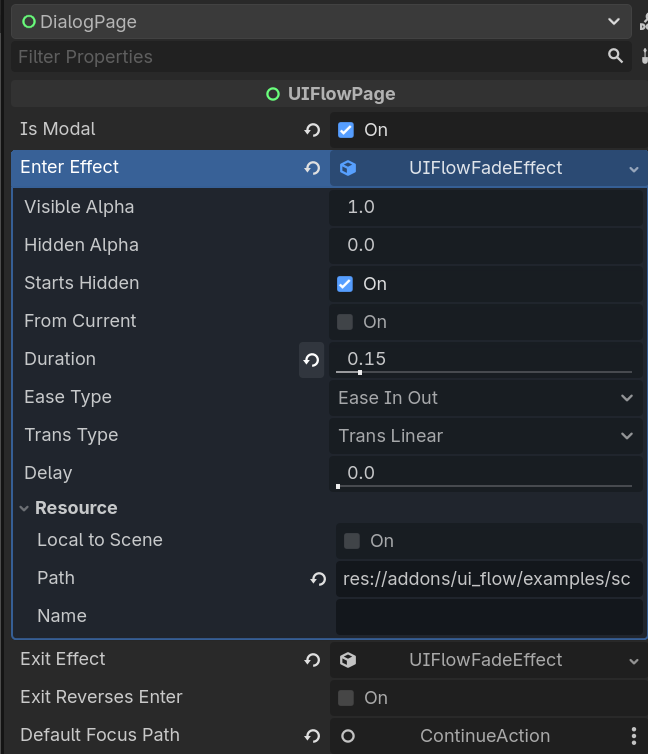
In the UIFlowPage resource inspector of the page scene root:
- Enter Effect: played when the page enters the stack.
- Exit Effect: played when the page leaves the stack.
- Enable Exit Reverse Play Enter to reverse the enter timeline for exit.
Built-in Effects
| Effect | Description |
|---|---|
UIFlowFadeEffect |
Fade in / out |
UIFlowSlideEffect |
Slide in / out, direction configurable |
UIFlowScaleEffect |
Scale, can use a custom curve for punch elasticity |
UIFlowTimelineEffect |
Multi-step composite effect, supports sequential and parallel steps |
Manual Playback
UIFlow.Animator.tween(self, UIFlowTweenProp.SCALE, Vector2.ONE * 1.2, 0.2) \
    .set_ease(Tween.EASE_OUT).set_trans(Tween.TRANS_BACK)
Reverse Playback
When Exit Reverse Play Enter is enabled, exit will:
- Reuse every step from enter.
- Swap the
from/tovalues of each step. - Reverse the overall timeline.
This is useful when enter has a complex Scale / Fade combination and you want exit to be the exact reverse.