GFFPlayer
GFFPlayer is the node you add to your scene to organize and play effects and combos.
Key Properties
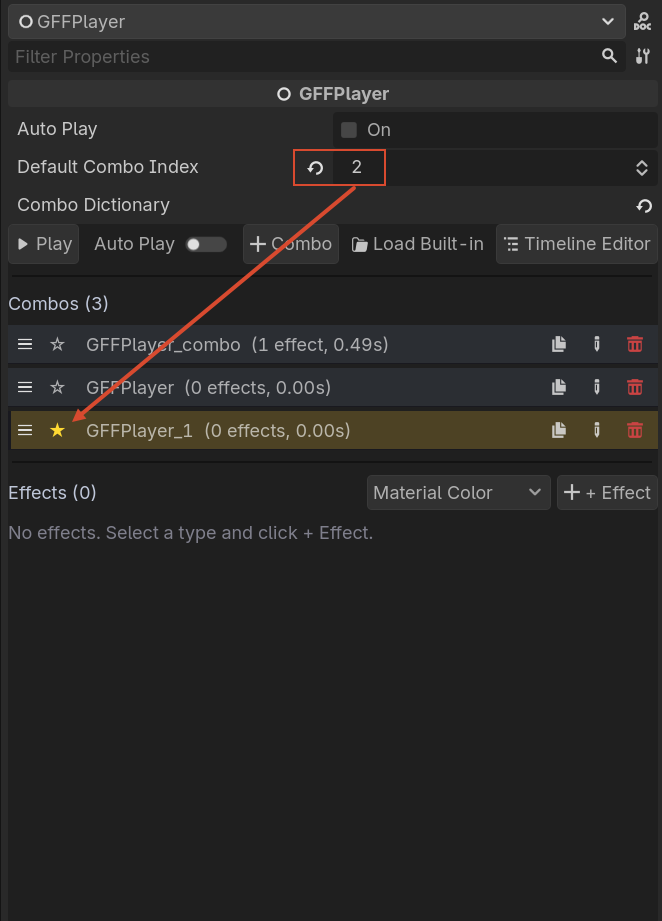
combo_dictionary: Dictionary[String, GFFCombo]— local combos stored on this player.active_combo_key: String— the combo currently selected in the editor.combo_presets: Array[GFFCombo]— optional project-level presets loaded from.tresfiles.default_params: GFFParams— default parameters applied to all effects played by this player.auto_play: bool— play the default combo automatically on_ready().default_combo_index: int— index of the combo to play whenauto_playis enabled. Defaults to the first combo (0). Set to-1to disable auto-play even whenauto_playis on.
Playback
# Play a combo by key
$GFFPlayer.play("hit_light")

# Play a built-in effect by name
$GFFPlayer.play("shake", 1.0)

# Play all effects in the effects array
$GFFPlayer.play_all()

# Stop everything
$GFFPlayer.stop()
How It Finds the Target
When you call play(...), GFFPlayer resolves the target node automatically:
- Looks for a
Node2D,Node3DorControlchild. - If none, uses the parent node.
- Falls back to itself.
Editor Helpers
The Inspector and Timeline Editor use these methods to mutate combo_dictionary:
editor_add_combo(key_hint)editor_rename_combo(old_key, new_key)editor_delete_combo(key)editor_add_effect_to_combo(key, effect)editor_remove_effect_from_combo(key, entry_index)editor_set_entry_enabled(key, entry_index, enabled)