Pro Installation
Pro Extension
Prerequisites
Make sure the free Game Feel Flow plugin is installed and enabled first:
- Copy
addons/game_feel_flowinto your project'saddons/folder. - Enable Game Feel Flow in Project → Project Settings → Plugins.
- Verify that the
GameFeelFlowautoload singleton was added automatically.
Install Pro
- Copy
addons/game_feel_flow_prointo your project'saddons/folder. - Open Project → Project Settings → Plugins.
- Enable Game Feel Flow Pro.
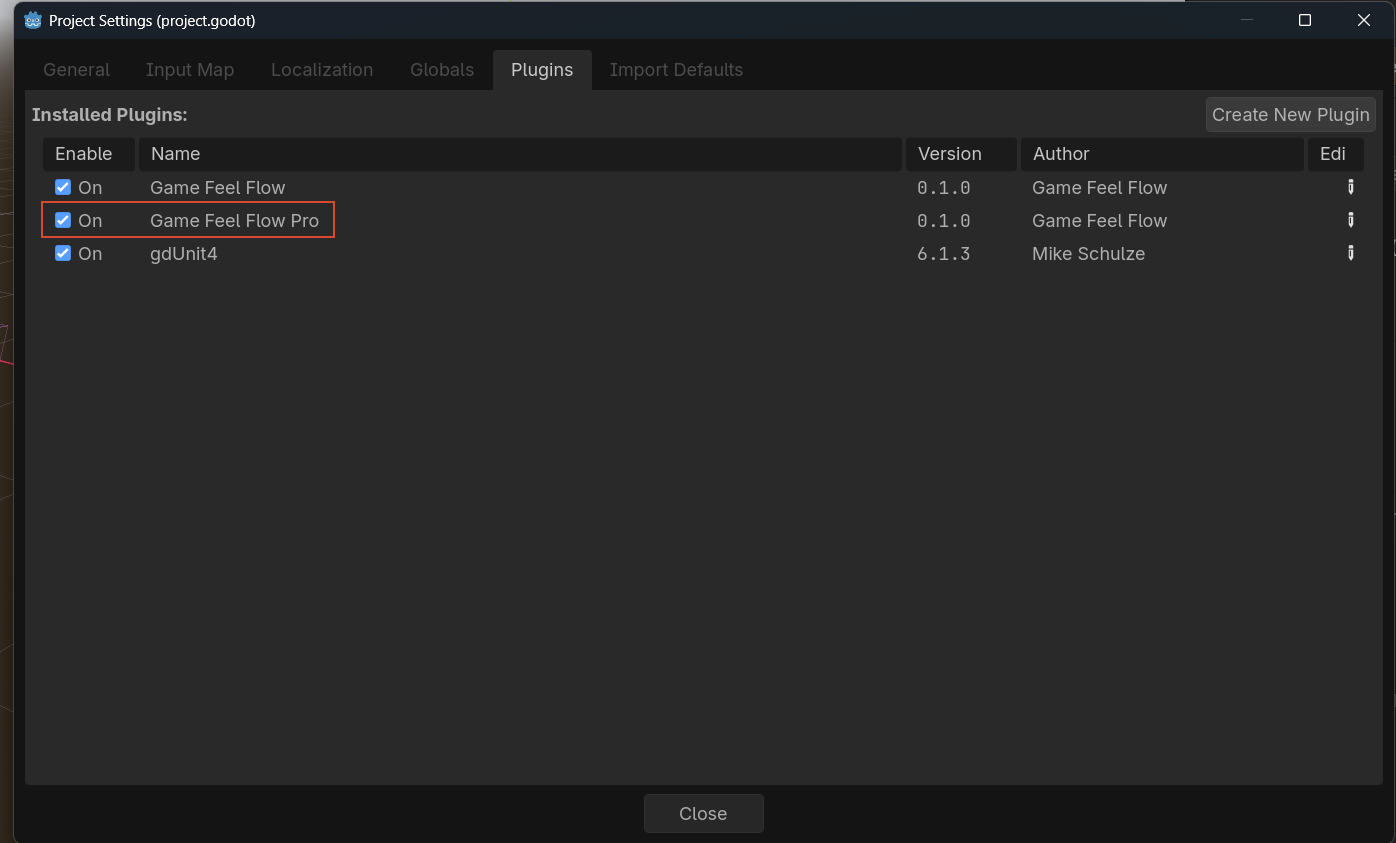
Enable order matters
Pro registers its targets and presets with the free core at startup. If the free plugin is not enabled, Pro will print a warning and do nothing.
Verify
After both plugins are enabled:
- Add a
GFFPlayernode to any scene. - In the Inspector, click + Effect.
- You should see Pro presets such as UI Scale, UI Flash, and Material Color in the dropdown.
If Pro effects do not appear, check the Godot Output panel for warnings about the free plugin not being enabled.
Next Steps
- UI Effects — animate CanvasItem nodes.
- Material Effects — animate StandardMaterial3D and ShaderMaterial properties.