Examples
Open this first
Recommended entry points, in order:
addons/game_feel_flow/examples/showcase.tscn— Free marketing reel and default recording entry.addons/game_feel_flow/examples/onboarding.tscn— Short teaching flow forGFFPlayerand combos.addons/game_feel_flow/examples/effect_library.tscn— Full effect catalog / lab (formerlymain.tscn).addons/game_feel_flow_pro/examples/showcase.tscn(Pro) — Pro-only reel (does not re-demo Free hit combos).
Open any scene and press F6 (Run Current Scene).
Shared showcase controls
Both Free and Pro reels share the same transport:
| Control | Action |
|---|---|
| Prev / Next | Change shot |
| Replay | Restart the current shot |
| H | Hide chrome (clean GIFs / video) |
| Loop toggle | Loop current shot only (never auto-advances) |
Frame is 16:9. The subject sits on a higher canvas layer than the backdrop so shakes do not shimmer against the background.
Free showcase shots
Scene: addons/game_feel_flow/examples/showcase.tscn
How it is authored (recommended workflow): each shot is a GFFCombo resource under
addons/game_feel_flow/examples/resources/showcase_combos/, assigned to
Subject/GFFPlayer.combo_dictionary. The reel script only calls player.play_combo("key").
Select the GFFPlayer in the Inspector / Timeline Editor to inspect or edit combos.
| # | Shot id | What you see |
|---|---|---|
| 1 | impact |
Built-in-style hit_light combo (saved as resource) |
| 2 | hit_combo |
hit_heavy combo (shake + bleach flash + freeze + punch) |
| 3 | shake |
Position tremor |
| 4 | flash |
White bleach flash (shader — works on already-white sprites) |
| 5 | punch |
Relative elastic scale punch |
| 6 | motion |
Hop position |
| 7 | color |
Tint pulse |
| 8 | alpha |
Fade out / restore |
| 9 | rotate |
Spin punch |
| 10 | time |
Independent sine bob, then freeze combo (Engine.time_scale = 0) |
| 11 | loop |
Breathing scale (ping-pong) |
| 12 | pickup |
pickup_coin (hop + pop + gold flash) |

Pro showcase shots
Scene: addons/game_feel_flow_pro/examples/showcase.tscn
How it is authored: combos under addons/game_feel_flow_pro/examples/resources/showcase_combos/,
wired to Subject/GFFPlayer, JuiceButton/GFFPlayer, and SfxPlayer/GFFPlayer. The material shot
attaches a GFFPlayer on the Knight mesh at runtime (material targets need a MeshInstance3D).
Shots call play_combo("key") only.
| # | Shot id | What you see |
|---|---|---|
| 1 | screen |
Pixelation + scanlines (CRT) |
| 2 | blur |
Gaussian screen blur |
| 3 | ui |
Clickable portrait juice (spring scale + flash) |
| 4 | material |
Albedo color pulse on the Knight mesh |
| 5 | audio |
Procedural beep + pitch dive + Master bus duck |
| 6 | timeline |
Multi-track combo (material flash + distortion + stretch) |
| 7 | xform |
Spring → wiggle → squash (one timeline combo) |
| 8 | climax |
Vignette + chromatic aberration stack |

Legacy & specialized scenes
Under addons/game_feel_flow/examples/:
main_3d.tscn— 3D effect collectionmain_2d.tscn— 2D effect collectionaddons/game_feel_flow_pro/examples/main_ui.tscn— UI effect collection (Pro)demo_combo_workflow.tscn— click-to-combo workflow demoscenes/loops/loop_demo.tscn— Breathing / Heartbeat / Warning loops
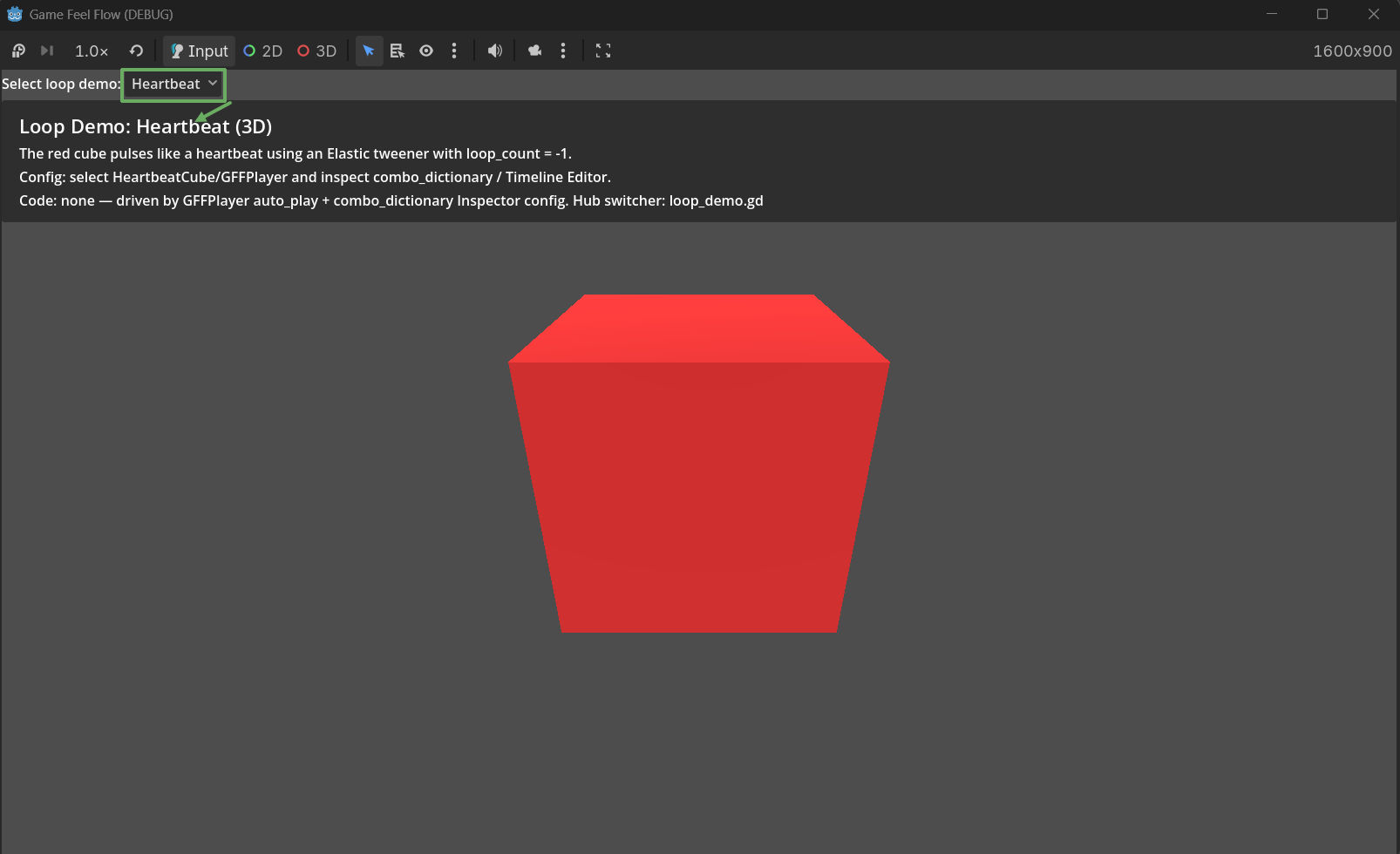
Loop demos
| Demo | Target | Tweener | Loop Mode | Use case |
|---|---|---|---|---|
| Breathing | Scale | Linear | PingPong | Ambient breathe |
| Heartbeat | Scale | Elastic (To Origin) | Repeat | Rhythmic pulse |
| Warning | Scale | Elastic (To Origin) | Repeat | Alert pulse |
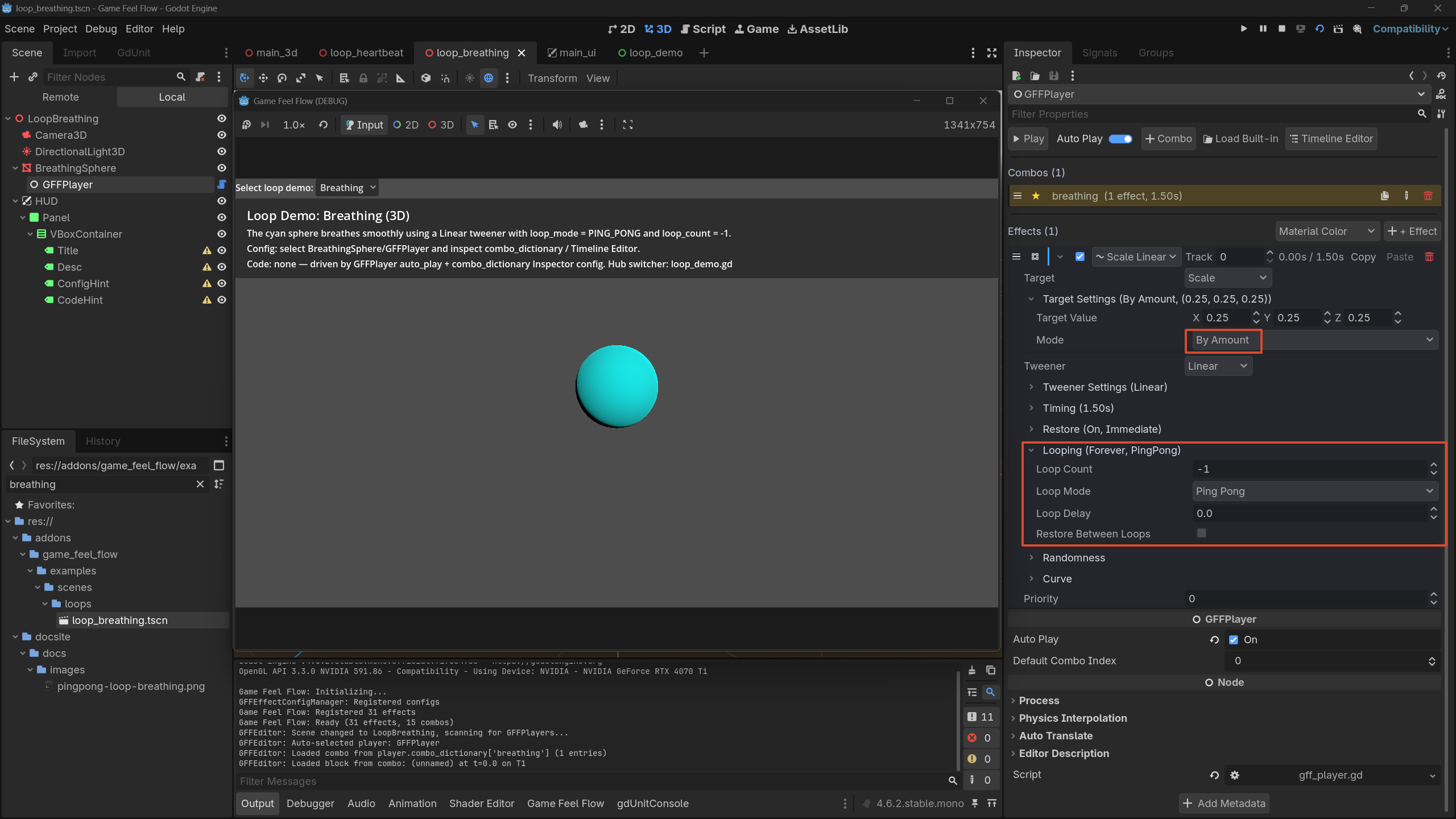
See Looping Effects for loop_count, loop_mode, and loop_delay.
Recording tips
- Run the showcase scene, press H to hide chrome.
- Stay on one shot; let Loop replay it for GIF capture.
- Prefer 16:9 export (showcase stages are authored for that).
- For store/docs stills, keep chrome visible when you want to show Prev/Next UI.